10 Best ChatGPT Alternatives for Data Analysis (2026 Editin)
From Natural Language Queries to Real-World Analytics Workflows

Introduction
ChatGPT has reshaped how people interact with data by turning analysis into a conversation. Instead of writing code or navigating complex interfaces, users can ask questions in plain language and receive explanations, summaries, or calculations almost instantly. This approach has made data analysis more accessible, especially for early exploration and one-off analytical tasks.
At the same time, ChatGPT is ultimately a general-purpose AI. When data analysis becomes more structured — working with large spreadsheets or databases, validating results visually, repeating analyses over time, or sharing insights with stakeholders — its limitations start to surface. As data workflows grow more complex, many teams look for tools that go beyond conversation and are built specifically around data handling, analysis depth, and analytical outputs.
This article explores the strongest ChatGPT alternatives for data analysis: tools that either extend ChatGPT’s strengths or address its gaps. These platforms emphasize capabilities such as direct data ingestion, structured analysis, visualization, reporting, and reasoning over real datasets — helping users choose the right solution based on how they actually work with data.
What Makes a Strong ChatGPT Alternative for Data Analysis?
Before diving into specific tools, it’s important to clarify what “alternative” really means in a data analysis context. A strong ChatGPT alternative isn’t defined by how closely it mimics a chatbot, but by how effectively it supports end-to-end analytical workflows.
The most capable tools tend to differentiate themselves across several key dimensions:
Natural-Language Analysis
Can users explore and analyze data using plain language, with the system translating questions into meaningful analytical steps rather than generic text responses?
Data Access and Ingestion
Does the tool work directly with real datasets — such as CSV, Excel, PDFs, or databases — without heavy manual preparation?
Analytical Depth and Reasoning
Is it capable of multi-step analysis, comparisons, aggregations, and structured reasoning, rather than surface-level summaries?
Visualization and Interpretation
Can results be validated visually through charts or tables, making insights easier to interpret and communicate?
Automation and Reusability
Does the platform support repeatable workflows, saved analyses, or automated reporting instead of one-off interactions?
Scalability and Performance
How well does it handle larger datasets, concurrent users, or enterprise-scale analysis?
Target Users and Workflow Fit
Is it designed for business users, analysts, data scientists, or mixed teams — and does it fit naturally into their daily work?
Cost and Deployment Model
Does the pricing and deployment structure align with individual, team, or enterprise needs?
With these criteria in mind, the following ten tools stand out as the most compelling ChatGPT alternatives for data analysis today.
1. Powerdrill Bloom
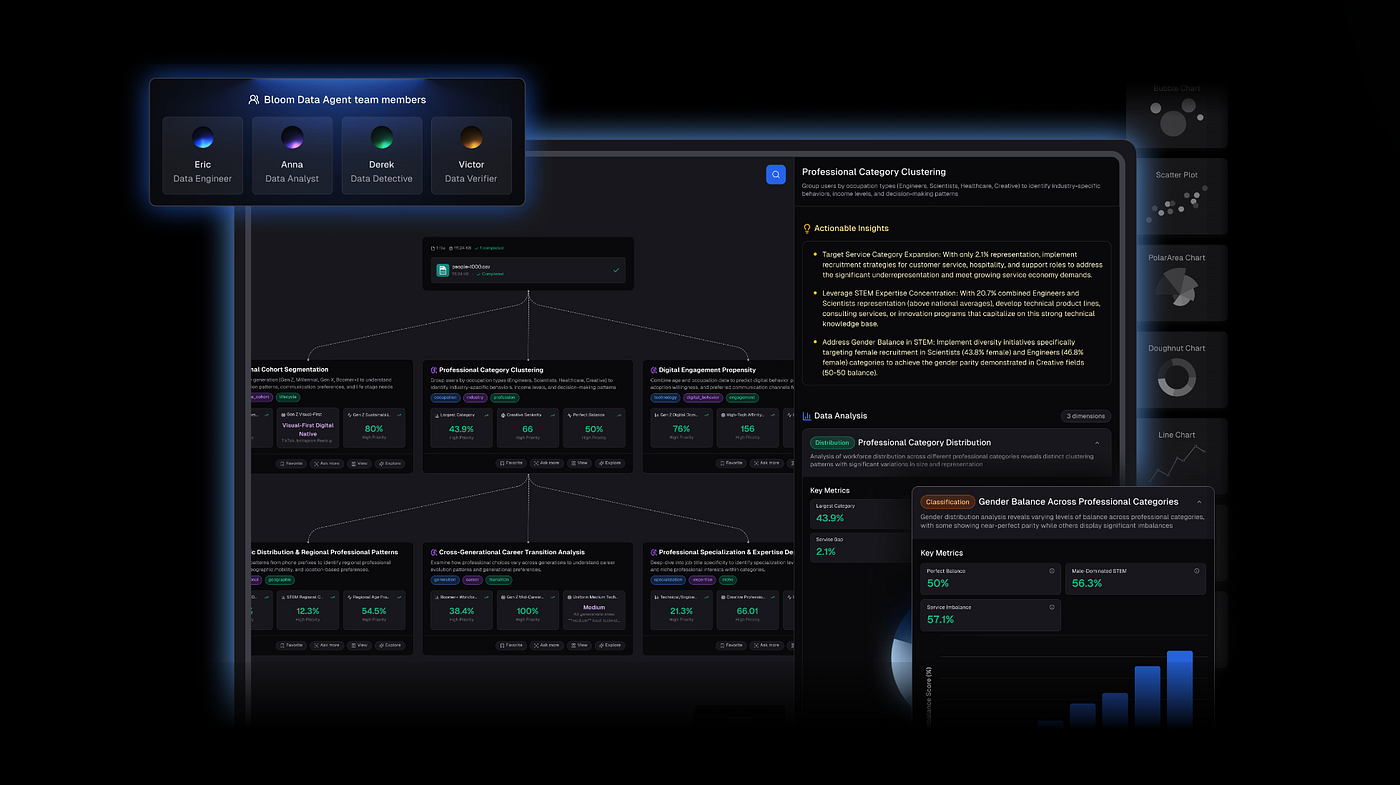
Powerdrill Bloom is an AI-powered data analysis platform designed to make complex data exploration and analysis intuitive and efficient. With natural-language queries and automated analytics, it can process raw datasets, perform multi-dimensional analysis, and summarize findings in a clear, structured way — without any coding.
Key Features
Nano Banana Pro (The Ultimate Advantage): Instantly converts analysis results and charts into professional slides and data preview images, allowing teams to move from Excel to boardroom-ready visuals seamlessly.
Auto-Cleaning & Structuring: Upload messy Excel, CSV, or PDF files; Bloom automatically detects structure, merges headers, and cleans anomalies for accurate analysis.
Predictive Insights: Ask natural language questions like “Why did Q4 retention drop?” and receive chart-backed answers with trend analysis and anomaly detection.
Seamless Integration: Works with spreadsheets, databases, and business applications, enabling a unified workflow.
Collaborative Dashboards: Share insights, reports, and visualizations across teams in real time.
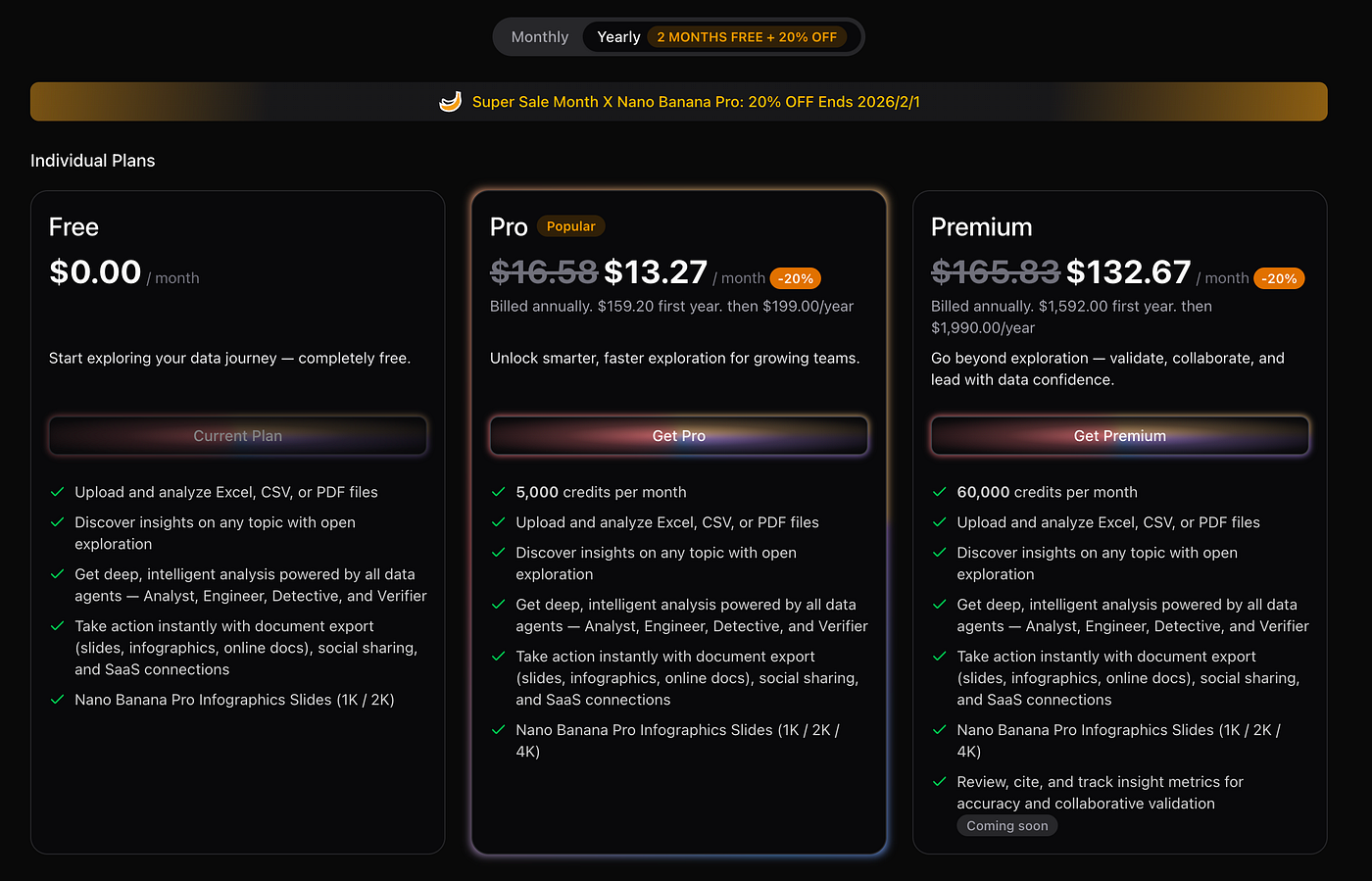
Pricing
Ideal For
- Business analysts, marketing managers, and executives who need actionable, presentation-ready insights without manual formatting
Why Choose / Use Case
Bloom is perfect for teams that need speed, clarity, and visual polish. For instance, a marketing manager can upload Q4 sales CSVs, ask “Which region underperformed?”, and instantly get a professional slide deck with charts, insights, and predictive recommendations — ready for stakeholder meetings.
2. ThoughtSpot
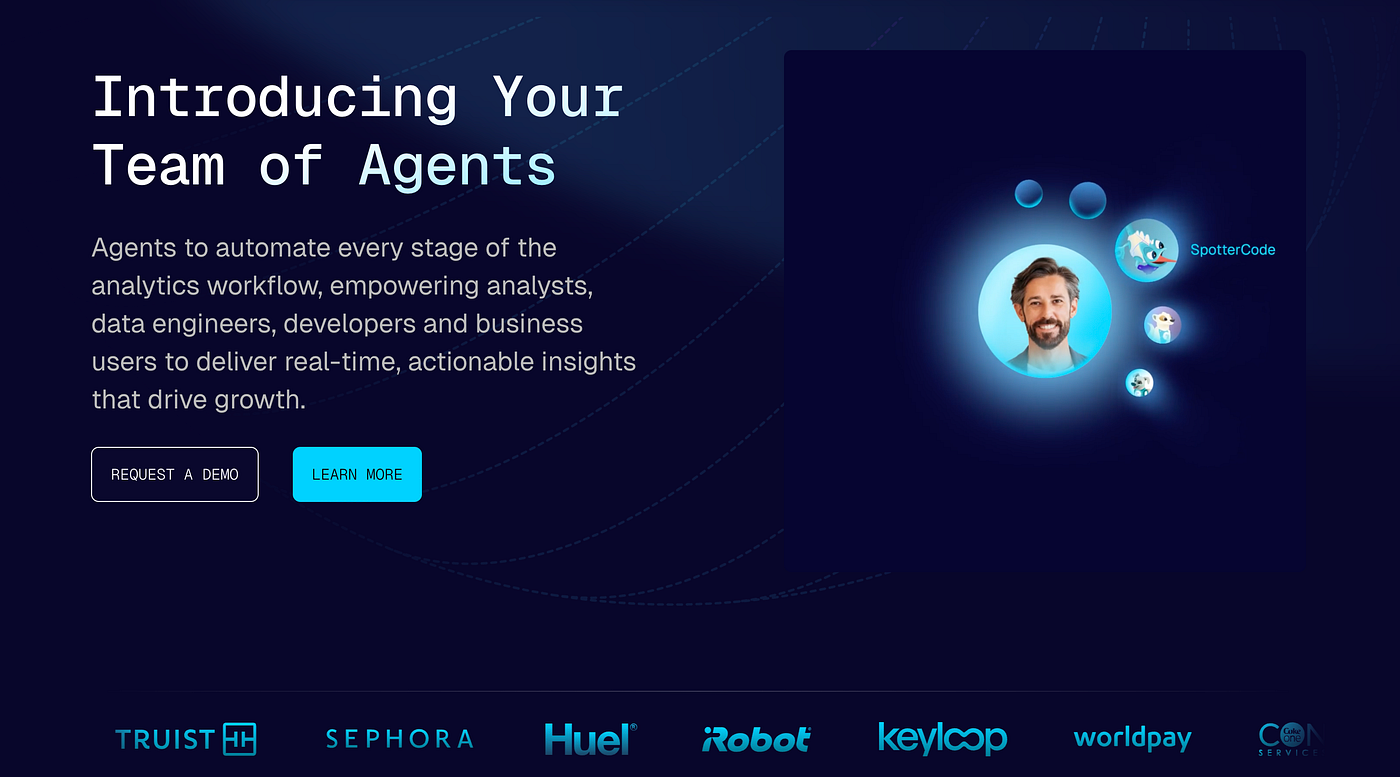
ThoughtSpot is a search-driven analytics platform designed to make business intelligence as simple as a web search. Users can type natural language queries to explore data stored in cloud or on-premise databases and receive visual insights, metrics, and dashboards in real time, empowering both technical analysts and non-technical business users.
Key Features
Natural language data search
Instant charts and KPI generation
Integration with major databases and data warehouses
Intelligent anomaly detection and auto insights
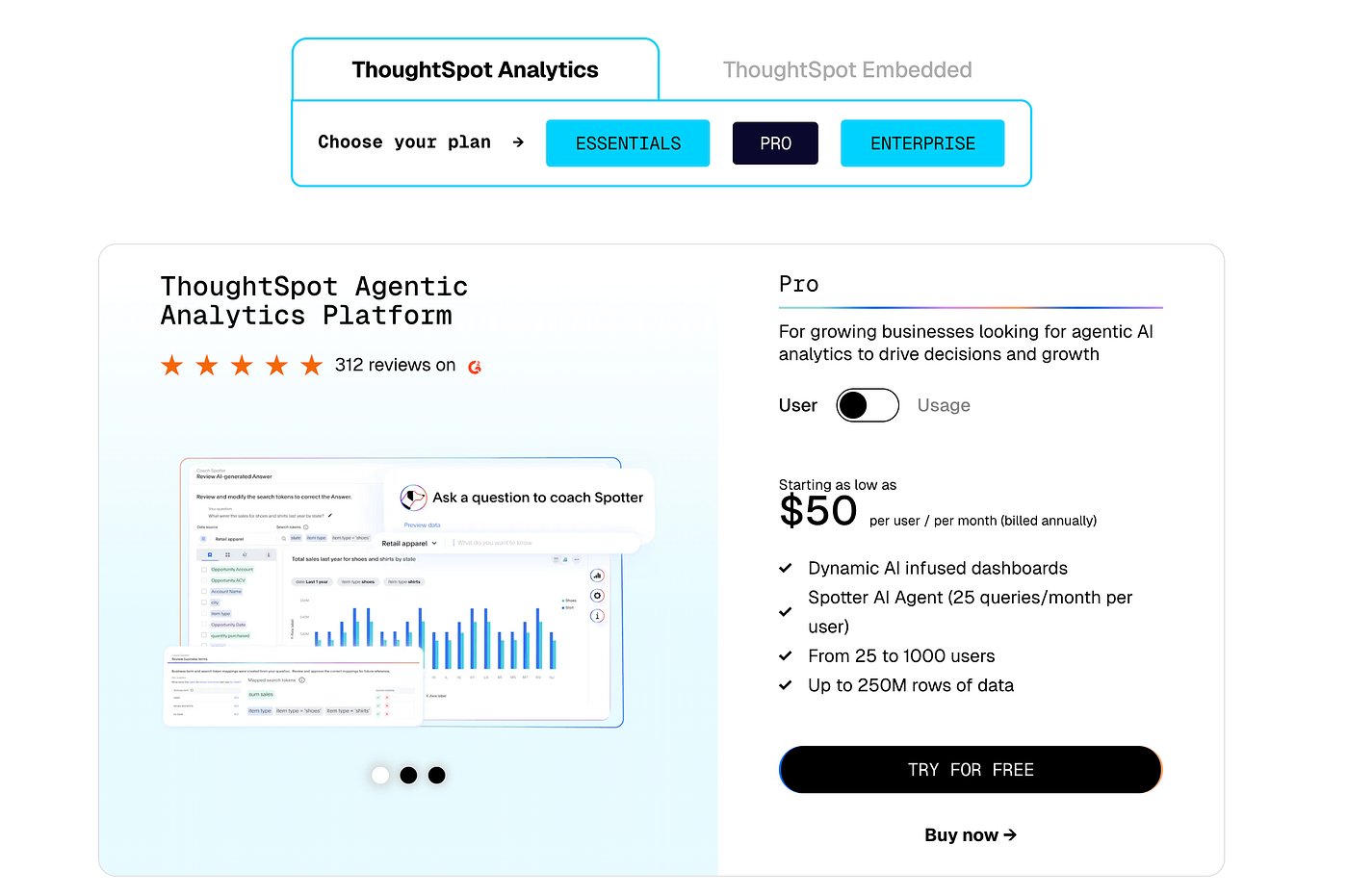
Pricing
Ideal For
- Business users and analysts who want a search-first analytics experience
Why Choose / Use Case
A sales manager can type “Show quarterly revenue by region for the last two years” and instantly receive an interactive dashboard with charts, trend lines, and anomaly alerts. ThoughtSpot reduces reliance on SQL or manual dashboards while keeping results actionable and shareable across teams. For enterprises looking to democratize analytics, ThoughtSpot offers a bridge between raw data and rapid decision-making.
3. Power BI Copilot
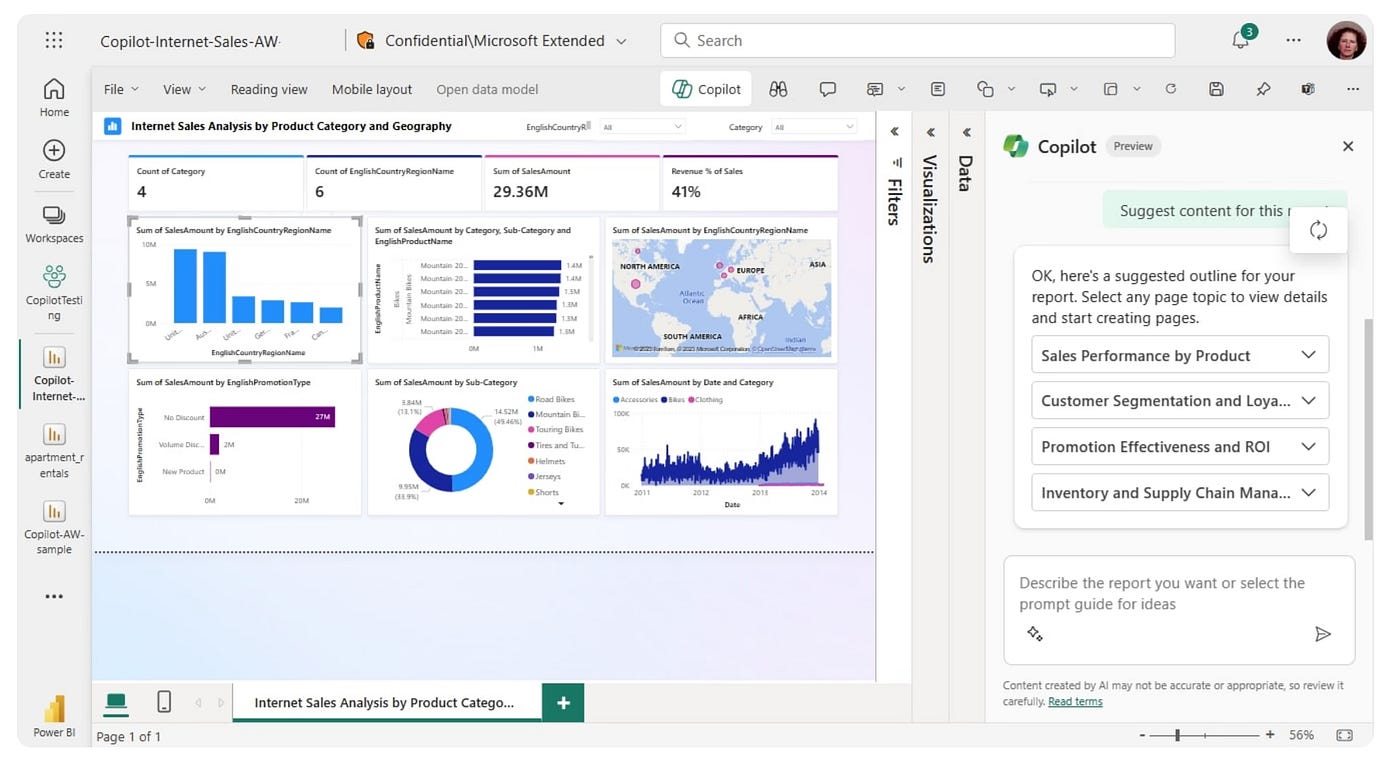
Power BI Copilot embeds AI capabilities directly into Microsoft Power BI, providing a natural-language interface for generating insights, dashboards, and reports. Organizations heavily invested in Microsoft 365 often face repetitive reporting tasks and complex dashboard configurations; Copilot reduces this friction by transforming plain-language queries into actionable visualizations and analytic summaries.
Key Features
Conversational queries that automatically generate charts, tables, and dashboards
AI-driven suggestions for KPIs, calculations, and trend analysis
Integration with Excel, Teams, and Microsoft Fabric for seamless enterprise workflow
Enterprise-grade governance, security, and compliance baked into Microsoft’s ecosystem
Automated insights generation from multiple data sources, reducing manual effort
Pricing
The Copilot features are included with Power BI Premium (starting at $20 per user/month) and are also available through Microsoft Fabric subscription plans. Exact pricing depends on factors such as usage, data storage, and the scale of deployment within the organization.
Ideal For
- Enterprise teams heavily relying on Microsoft 365 and Azure for reporting and analytics
Why Choose / Use Case
Power BI Copilot is optimal for organizations aiming to speed up report generation and improve decision-making efficiency. For instance, finance teams can request “Visualize revenue vs. cost by department for last fiscal year” and receive an automatically generated dashboard with suggested KPIs, allowing analysts to focus on strategic interpretation rather than manual setup.
4. Claude
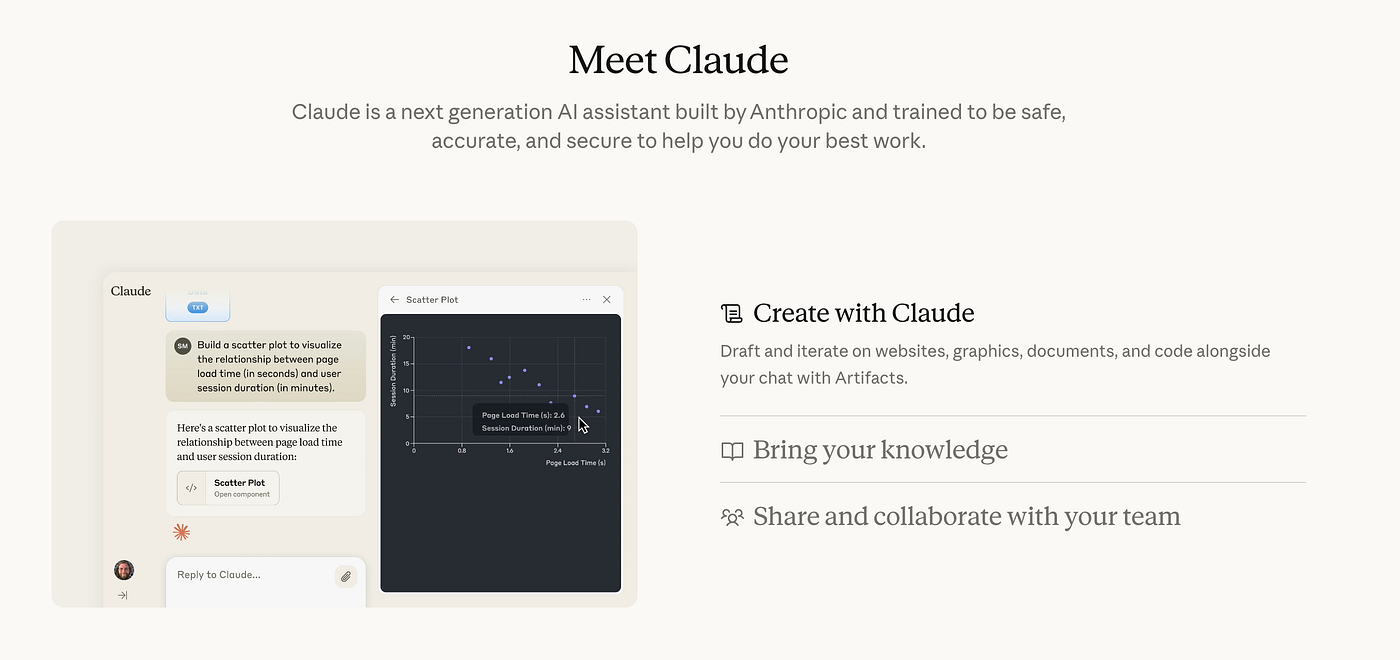
Claude, developed by Anthropic, is a conversational AI assistant designed to provide in-depth reasoning and insight generation for structured datasets. Unlike general-purpose AI, Claude specializes in understanding data context, explaining trends, and performing multi-step analytical reasoning.
Key Features
Process and analyze CSV, Excel, and structured datasets directly
Generate textual summaries, insights, and trend explanations in plain English
Suggest patterns, anomalies, and correlations automatically
API access for embedding into custom workflows or internal applications
Emphasis on safe, reliable, and context-aware responses
Pricing
Ideal For
- Data analysts, researchers, and teams needing flexible conversational AI for data interpretation
Why Choose / Use Case
Claude is perfect for teams that prioritize interpretability and contextual explanations. For example, a researcher analyzing survey data can ask, “Which factors correlate most with customer satisfaction?” and receive a textual breakdown with detailed reasoning, which can then inform dashboards or reports created separately.
5. Google Gemini
Google Gemini is Google’s multimodal AI platform for enterprise-scale data analysis. It combines text, code, spreadsheets, and structured data analysis in a single interface. Gemini is tightly integrated with Google Workspace and BigQuery, enabling predictive modeling, automated insights, and seamless collaboration across enterprise teams.

Key Features
Multimodal analysis: combine spreadsheets, text, and charts in one workflow
BigQuery integration for querying massive datasets with natural language
Automated dashboard creation in Looker Studio for immediate reporting
AI-assisted forecasting and predictive modeling
Collaboration features within Google Workspace for cross-team analytics
Pricing
Ideal For
- Organizations using Google Cloud seeking predictive modeling and cross-data integration
Why Choose / Use Case
Gemini is ideal for teams that need both AI-driven insights and predictive modeling. For example, a supply chain manager could ask, “Forecast demand for product X in Q2 based on last three years’ data,” and Gemini produces both analysis and visualization within the Google ecosystem.
6. Julius AI
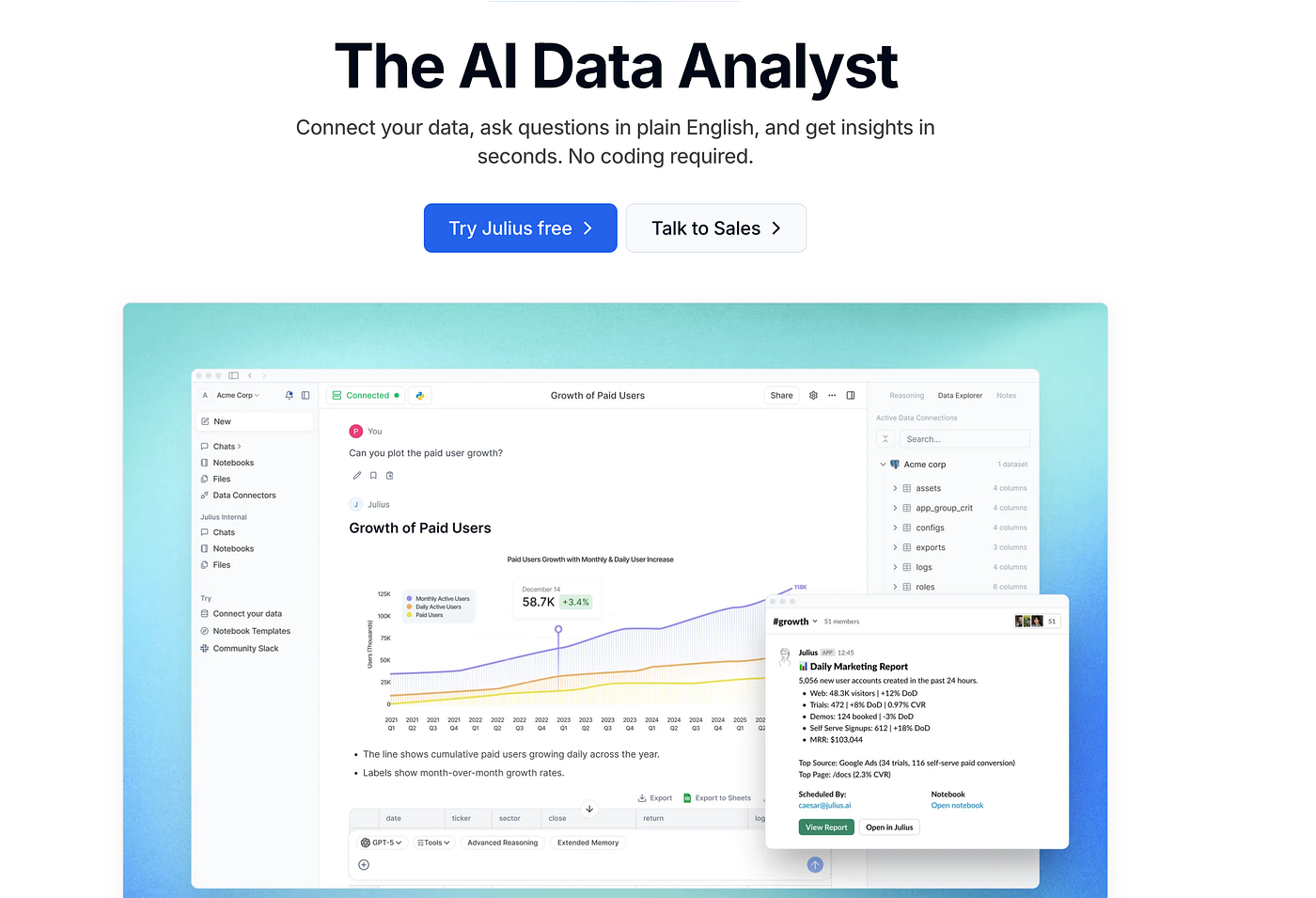
Julius AI is a lightweight, no-code data analysis platform designed for individuals, freelancers, and small teams who need quick insights from structured datasets. Unlike enterprise-grade platforms, Julius focuses on simplicity and speed, enabling users with limited technical skills to generate charts, dashboards, and textual summaries without coding.
Key Features
Upload CSV or Excel files and ask natural-language questions to generate instant insights
Automatic chart, dashboard, and table generation tailored to the dataset
Data cleaning and transformation tools to enhance analysis quality
Simple interface suitable for non-technical users, with minimal setup
Collaboration features for sharing insights within small teams or classrooms
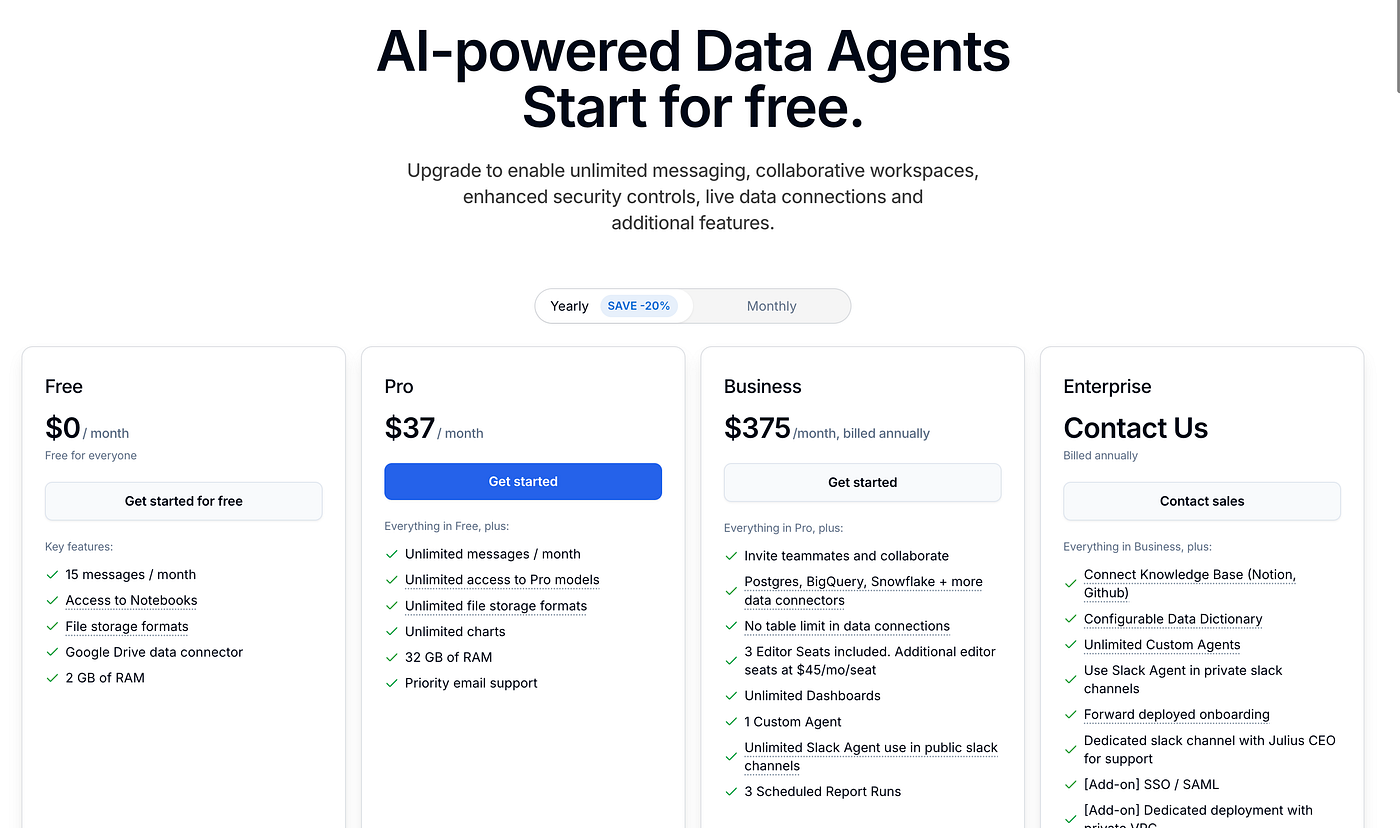
Pricing
Ideal For
- Students, freelancers, educators, and small teams needing affordable, fast, no-code analytics
Why Choose / Use Case
Julius AI is best for quick, exploratory analysis. For example, a small marketing team can upload campaign CSVs and ask, “Which regions have the highest engagement this month?” Julius generates charts and tables instantly, allowing fast reporting without requiring a BI specialist.
7. Vertex AI
Vertex AI is Google Cloud’s enterprise AI and machine learning platform. Unlike simpler BI tools, it is designed for developers, data scientists, and analysts requiring full control over data pipelines, predictive modeling, and AI deployment. Vertex AI integrates data preparation, model training, evaluation, and deployment into a single environment, making it suitable for large-scale, production-grade AI projects.

Key Features
End-to-end AI/ML lifecycle management: data ingestion, model training, evaluation, deployment, and monitoring
AutoML for building predictive models without deep machine learning expertise
Seamless integration with BigQuery for querying large datasets
Support for custom LLMs, embeddings, and fine-tuning for domain-specific use cases
Enterprise-grade scalability, security, and MLOps features
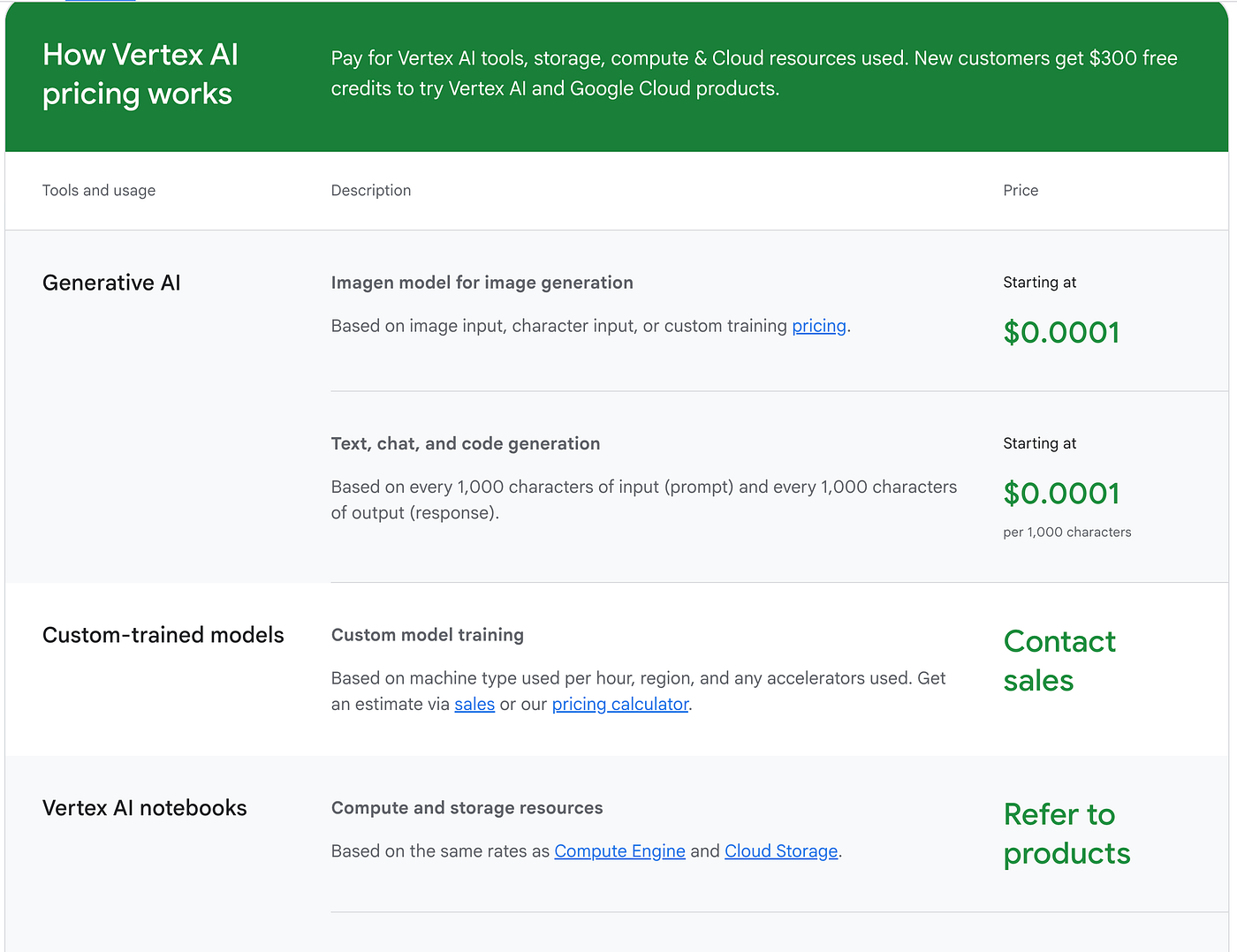
Pricing
Ideal For
Data scientists, ML engineers, and enterprises needing customizable AI infrastructure for predictive analytics
Why Choose / Use Case
Vertex AI is ideal for organizations building sophisticated AI pipelines. For example, a retail company could use Vertex AI to train a model predicting inventory needs for hundreds of products across multiple regions, integrating predictive outputs directly into operational dashboards.
8. NetMiner
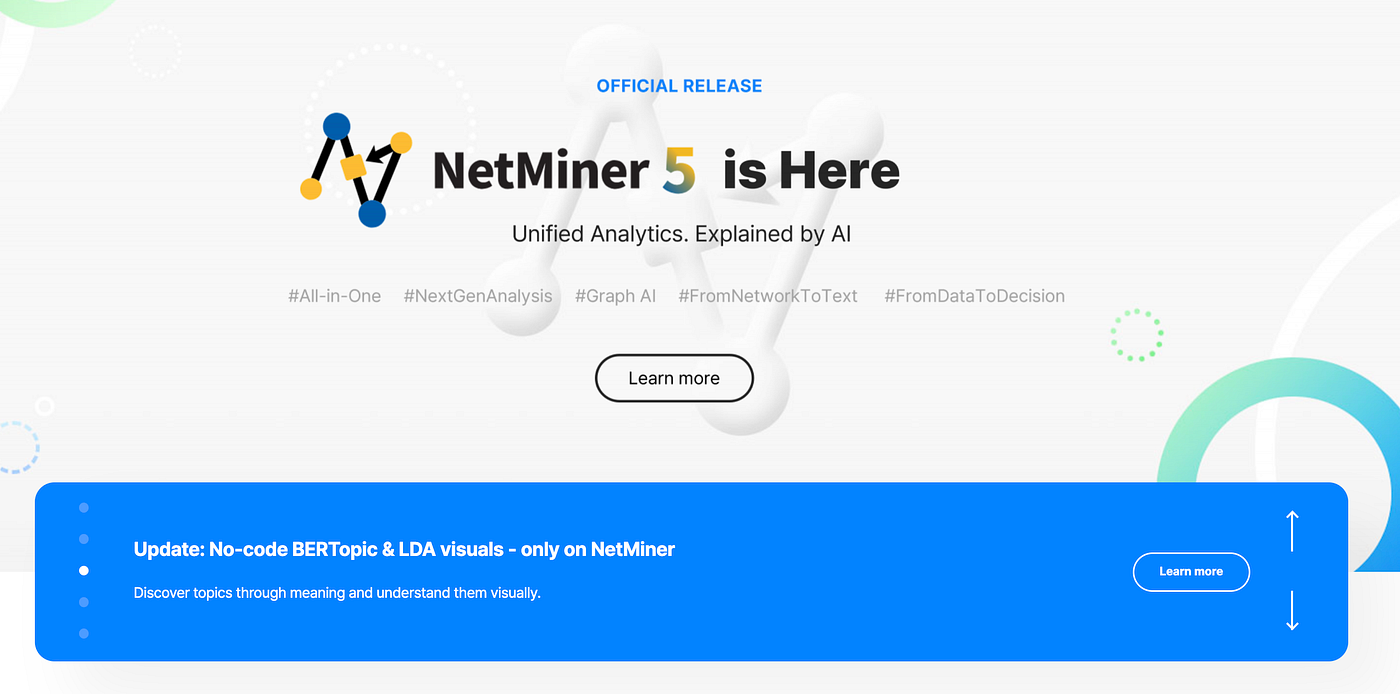
NetMiner is a specialized platform focused on network and social network analysis (SNA). Unlike general-purpose BI tools, NetMiner excels at visualizing complex relationships, interactions, and network structures in large datasets. It is widely used in academic research, sociology, organizational analysis, and marketing analytics to understand patterns and connections not visible through conventional reporting.
Key Features
Advanced social network analysis and graph theory tools
Visualizations of nodes, edges, clusters, and community detection
Statistical analysis of network structures, centrality, and influence metrics
Support for diverse data formats including CSV, Excel, and relational databases
Extensible via scripting and automation for advanced researchers
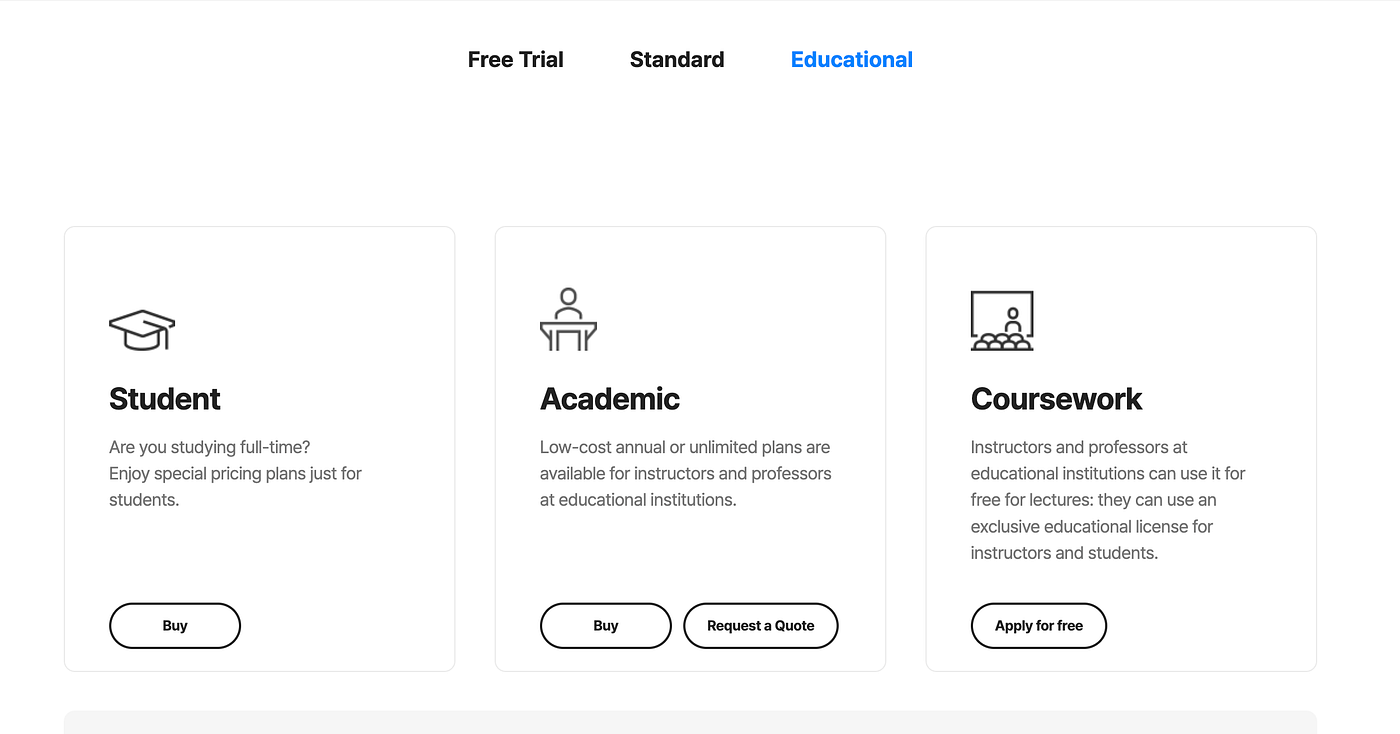
Pricing
NetMiner offers a free trial with limited functionality. Paid licenses start at around $1,000 annually per user, with discounts for academic institutions and research labs.
Ideal For
- Researchers, sociologists, academic institutions, and marketing teams analyzing complex networks
Why Choose / Use Case
NetMiner is perfect for uncovering hidden relationships. For instance, a university researcher studying social media influence can map interactions and detect key influencers in a network, revealing insights traditional BI dashboards cannot provide.
9. KNIME
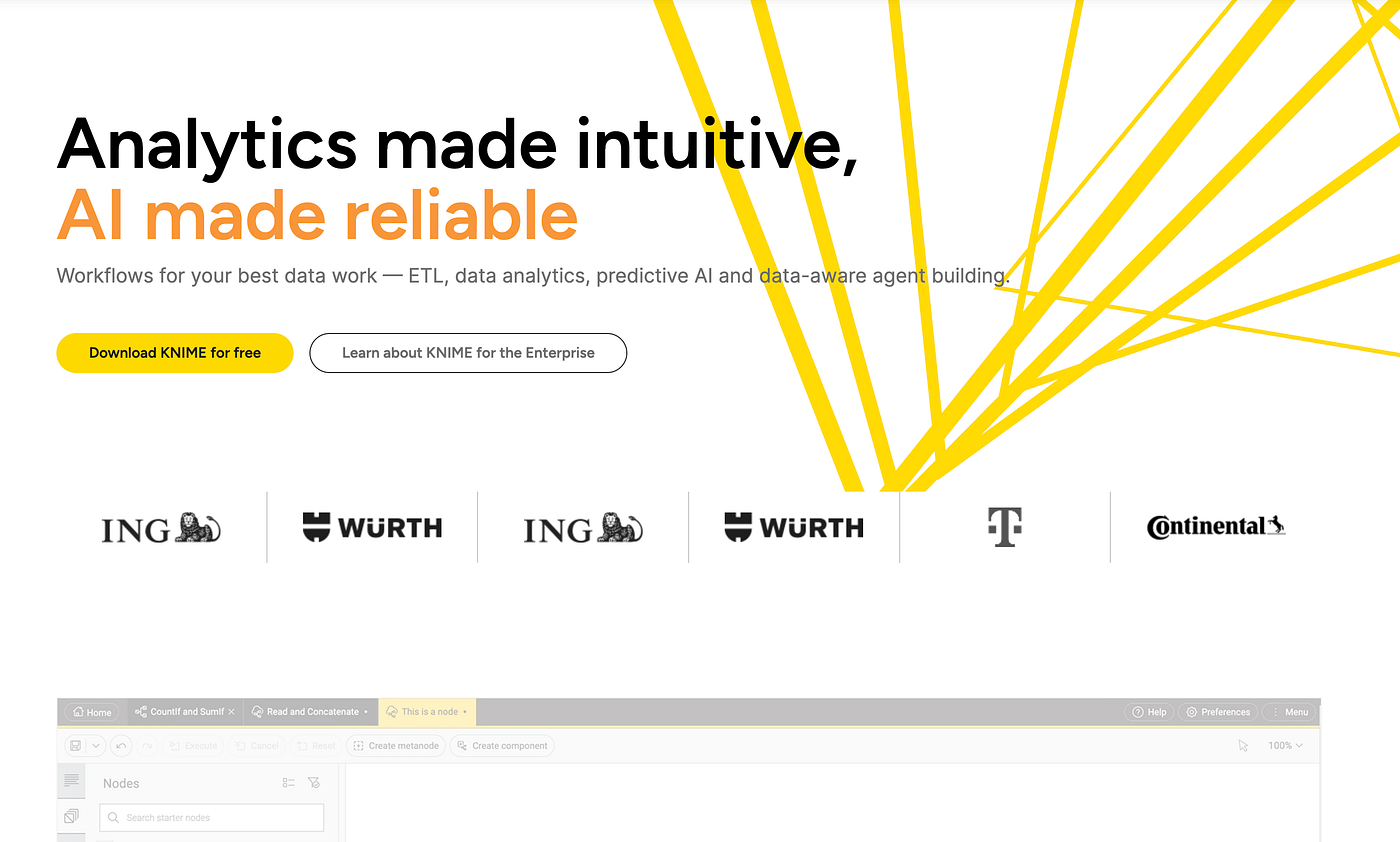
KNIME is an open-source analytics and workflow automation platform designed for both technical and semi-technical users. Its visual, node-based interface allows the construction of complex data pipelines without extensive coding. KNIME is popular for data preparation, machine learning, and integrating multiple data sources into cohesive analysis workflows.
Key Features
Node-based workflow builder for designing data processing and analytics pipelines
Integration with Python, R, SQL, and various AI/ML models
Support for large-scale data and automation of repetitive tasks
Ability to combine datasets from multiple sources into a unified workflow
Open-source flexibility with enterprise version for enhanced support and collaboration
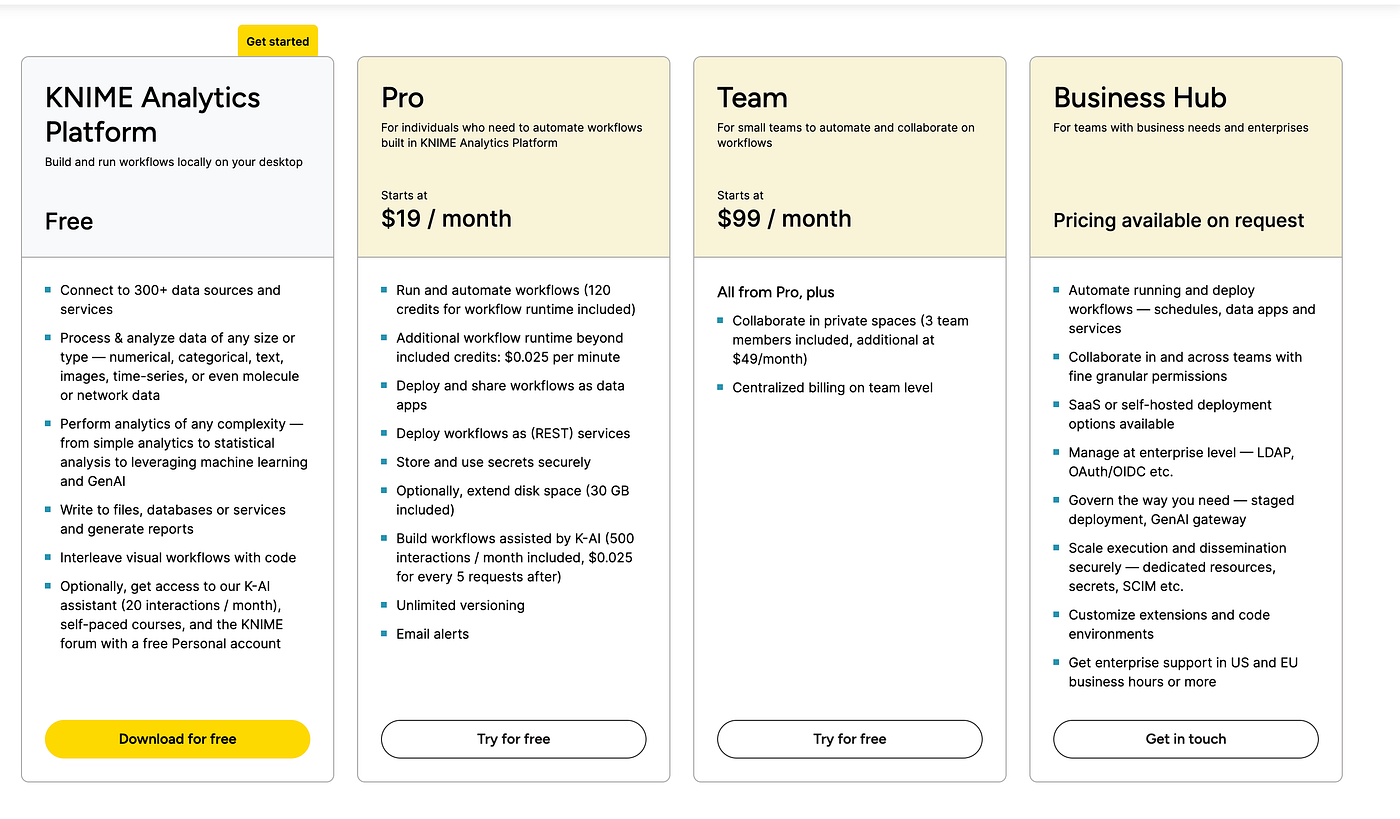
Pricing
Ideal For
- Data engineers, analysts, and developers building automated workflows or custom AI pipelines
Why Choose / Use Case
KNIME is suitable for teams needing flexible, repeatable analytics workflows. For example, a financial analyst can automate monthly reporting, integrating multiple databases and cleaning data automatically, freeing time for interpretation and decision-making.
10. Alteryx
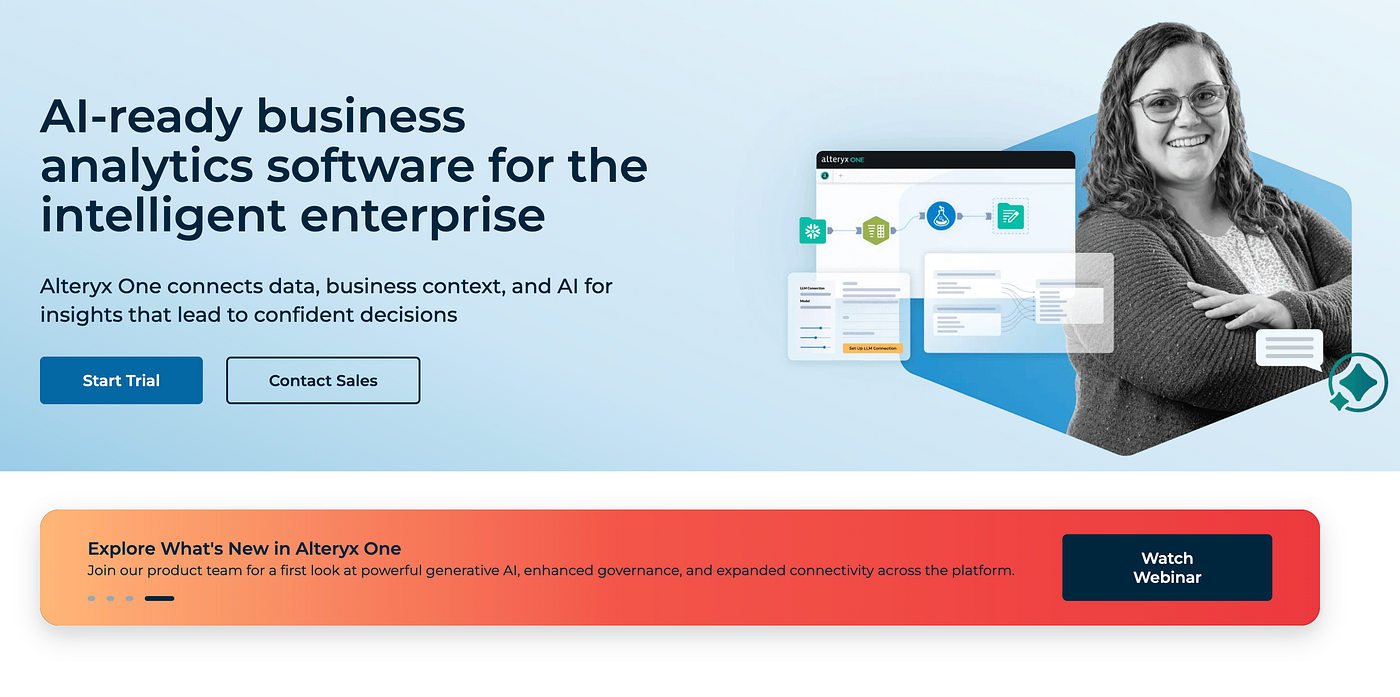
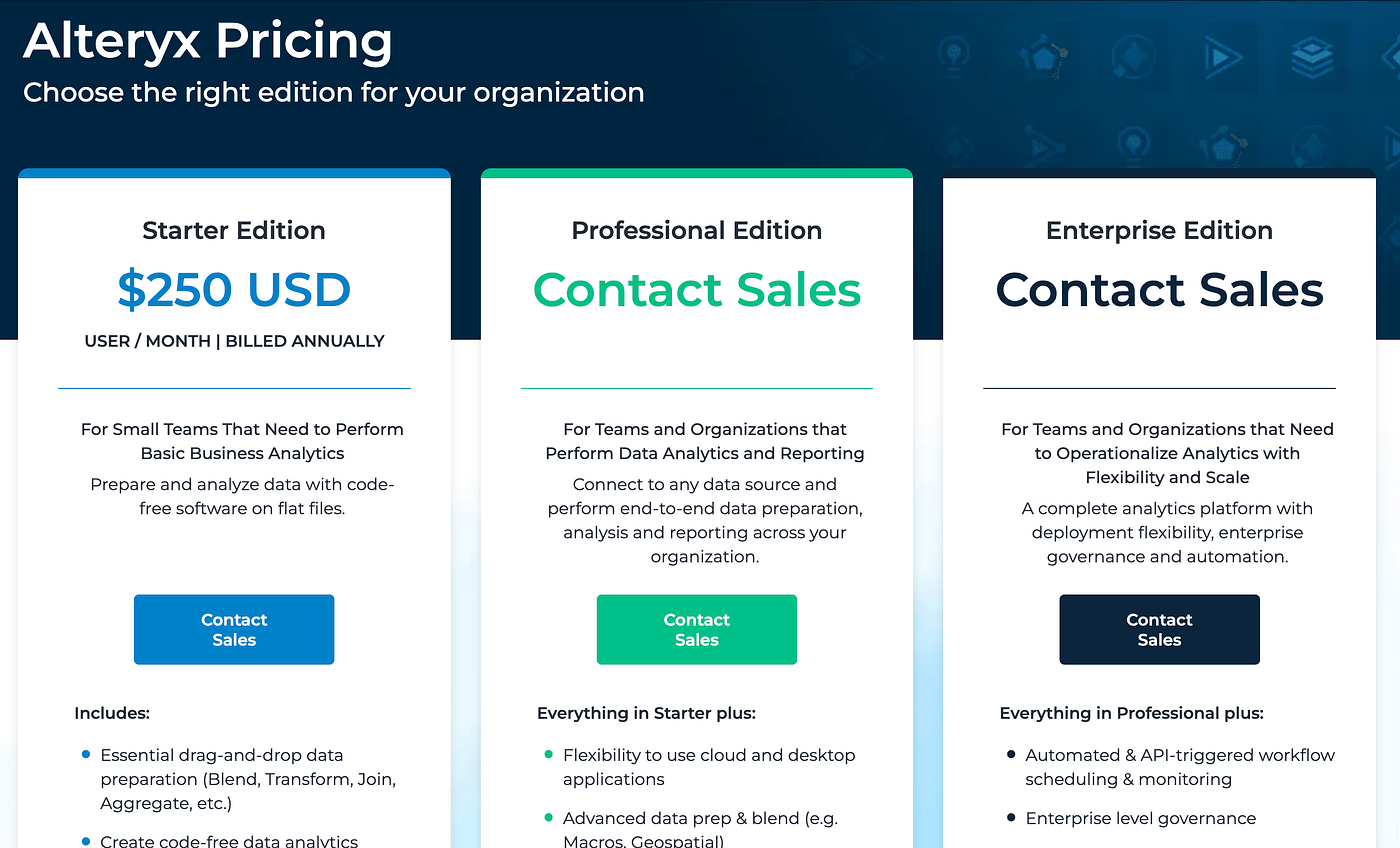
Alteryx is a comprehensive analytics platform combining data preparation, predictive modeling, and AI-driven insights. It is designed for enterprise teams needing scalable workflows and rapid insight generation, while reducing the manual burden of data cleaning and transformation.
Key Features
AI-driven predictive analytics and pattern recognition
Drag-and-drop workflow interface for data preparation and analysis
Integration with cloud and on-premise systems for enterprise-scale operations
Collaboration features for sharing workflows and insights within teams
Automation of repetitive data tasks, reducing time to insight
Pricing
Ideal For
- Enterprise analysts, data science teams, and organizations needing robust analytics pipelines
Why Choose / Use Case
Alteryx is perfect for automating complex analytics processes. For example, a supply chain team can automate monthly inventory analysis across multiple warehouses, incorporating predictive forecasts to optimize stock levels without manual intervention.
Final Thoughts: From Comparison to Practical Choice
Selecting a ChatGPT alternative for data analysis is ultimately about finding the platform that aligns with your workflow, dataset size, and analytical needs. The tools covered in this guide each approach data differently rather than claiming a universal “best.”
Powerdrill Bloom excels at structured exploratory analysis, combining natural-language queries with automated insights for actionable outputs. ThoughtSpot offers a search-first experience, letting users type questions in plain language and instantly receive visualizations and dashboards, making it ideal for teams who want fast, interactive exploration. Claude provides detailed reasoning and conversational analysis, while KNIME is ideal for analysts and data scientists who want a modular, workflow-based approach to data preparation, modeling, and automation.
For organizations embedded in enterprise ecosystems, Google Gemini and Microsoft Copilot for Power BI offer seamless integration, governance, and collaboration. Julius AI focuses on no-code, visual-first analysis for small teams or individual analysts, and Alteryx provides repeatable, workflow-driven data preparation and automation. On the technical side, Vertex AI delivers scalable, customizable pipelines for advanced analytics and machine learning, while NetMiner specializes in network and relational data analysis that general-purpose tools cannot replicate.
The most effective approach is to test one or two tools with a real dataset or a concrete analytical question. Feature comparisons give an overview, but how well a platform fits into your daily workflow determines its true value. Starting with free trials or entry-level plans allows you to evaluate which tool best complements — or in some cases replaces — ChatGPT for your data analysis needs.


